How to Scrape E-commerce Product Listing with Pagination (No Code)
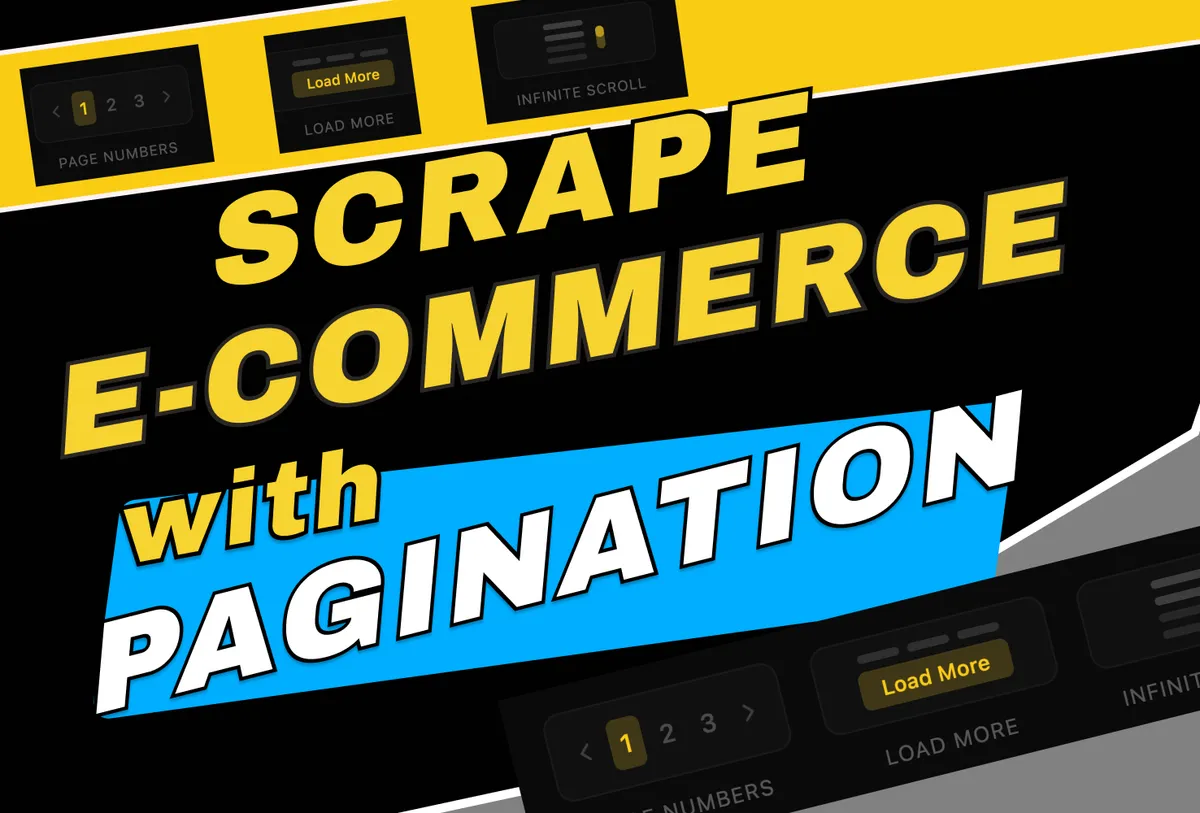
It's not a secret that every e-commerce website is essentially a large catalogue, thus we made it super easy to extract entire listing of e-commerce products with no code and less than 10 minutes.
TL;DR
You can extract data and images from an entire e-commerce product catalogue using Parsera, without writing any code. Parsera automatically detects all types of pagination (page numbers, infinite scroll, and “load more” buttons) and can generate reusable scraping code, reducing costs to 1,000 pages for ~$5.
What This Article Covers?
- How to get data from e-commerce product listing with different pagination types, such as: page numbers, 'show more' button or infinite scroll
- How to extract product listing with no code needed: Step-by-step guide
- How to scrape product detail pages linked from listings
- How to make your catalogue scraping cost-efficient at scale
Let's have a walkthrough on how this could be done and build a scraper to extract data from StockX.com catalogue
Step-by-Step: How to Extract Data from E-commerce Product Catalogue
1. 🌐 Enter the Catalogue Page URL
Paste the category or listing page URL into the URL field.
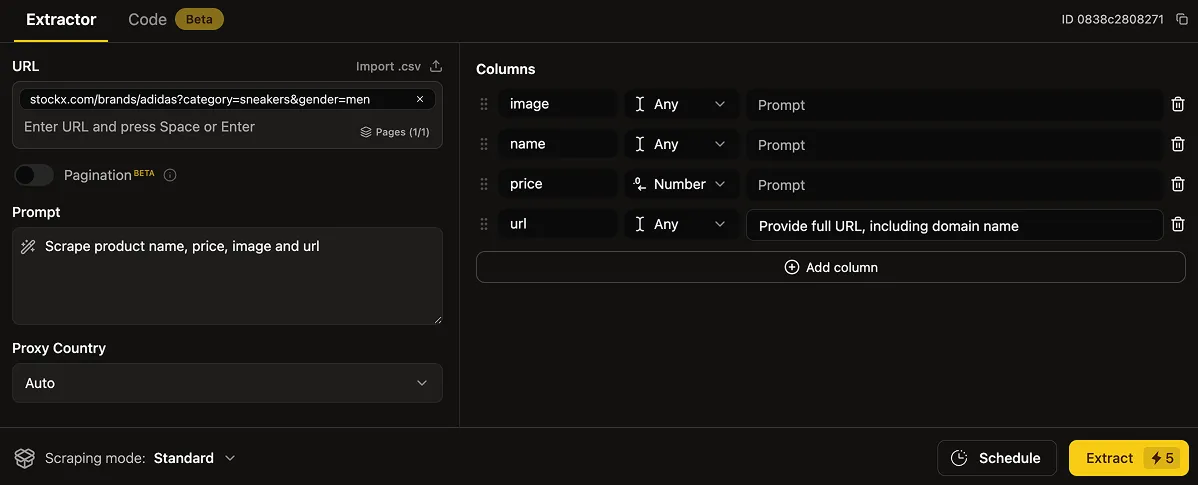
2. ⌨️ Define the Data You Want to Extract
- Enter Prompt for Context:
Extract product name, price, image, and URL - Create Columns for Structure:
name, price, image, url - Add Column Prompt to fine-tune your output:
- example case: some products have two prices: 'sale' and 'original', and some of them only 'original', and you want to scrape the current pricing
- column name:
price - column prompt:
get 'sale' price, otherwise get 'original'
Recommendation: Before 'Detect Pagination' or 'Generate Code' - run an extraction on this single page to confirm that Parsera can extract data from the chosen webpage and data is captured correctly.
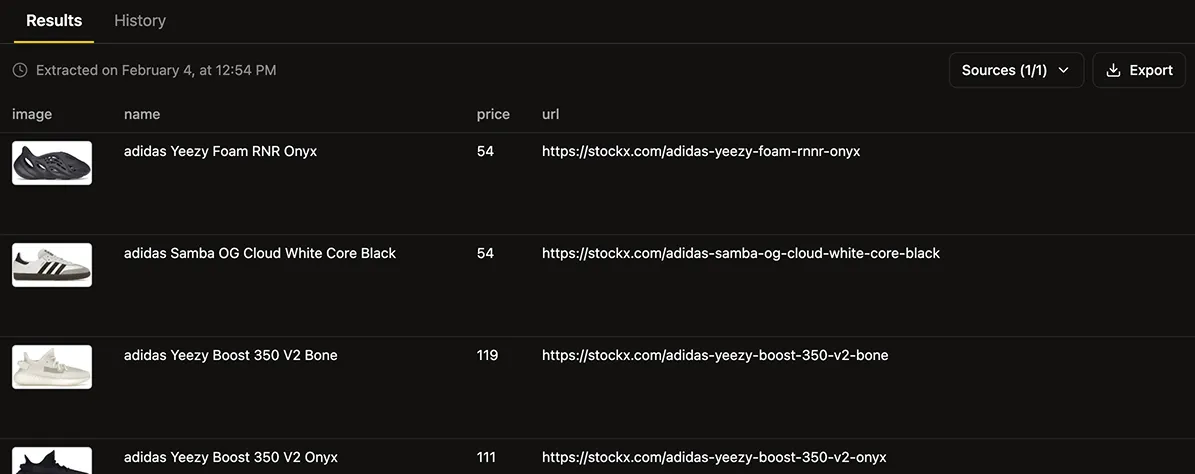
3. 🔥 Generate Pagination
- Move the Pagination Switcher into the active mode.
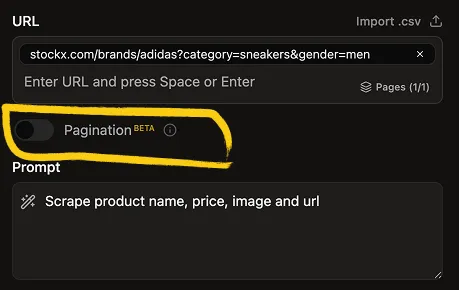
- Follow the instructions and Generate Pagination.
- This usually takes 2–10 minutes, depending on page complexity.
💡 Recommendation: for 10+ Pages or Repeated Scraping
If you plan to scrape 10 or more pages, or run this extraction multiple times:
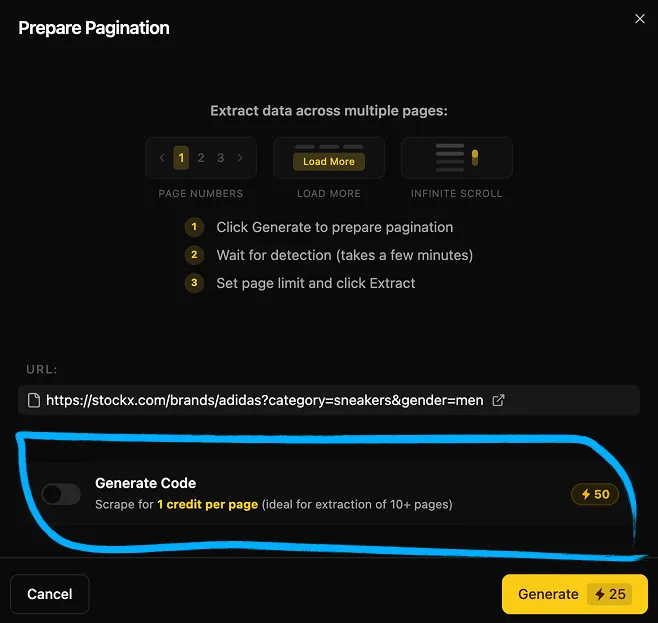
- Generate Code for this page structure: you can do it during pagination setup or separately in the 'Code' tab
- Choose 'Code Mode' on the 'Scraping Mode' selector
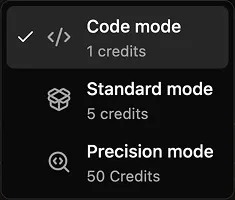
- Extract data for 1 credit per page = 1,000 pages for ~$5
- Ideal for large catalogues or recurring scraping jobs
⚠️ In rare cases, code generation may fail for some pages. If that happens, please contact us (we reply in less than 24 hours)
5. 🔢 Select the Number of Pages and Run the Extraction
-
Choose how many pages from the product listing you want to scrape OR simply select all pages
-
Extract pages using one of the following modes:
-
Code Mode: 50 credits to generate scraping code + 1 credit per page scraped
(Recommended for extracting structured data at scale from pages with the same layout or for recurring jobs.) -
Standard (AI) Mode: 5 credits per page scraped
(Recommended when code generation is not available.)
-
6. 📫 Review and Retrieve Your Data
- Review the extracted data in the UI
- Download the data: JSON, CSV, Excel, ZIP
- Schedule automated data extraction & delivery: Use 'Schedule' feature
- Access the data via the Parsera API
How to Scrape Product Detail Pages from a Catalogue
Currently, Parsera lets you scrape any data directly from paginated listing pages. However, many users also want to extract details from the pages linked inside those listings, such as:
- Product detail pages in e‑commerce stores
- Event pages on event aggregators
- Job detail pages from job listings
- Other linked listing item pages
Available Workaround (Works Today)
Until full automation is released in February 2026, you can use the following workflow:
- Extract all item URLs from the paginated listing by creating a dedicated column
- Download the extracted URLs and paste them into the URLs field
- Scrape any required data from all pages at once
- To reduce costs:
- Generate code using one sample URL
- Apply it to all extracted URLs via Code Mode = 1 credit per page
🚀 Full end-to-end automation for this flow is coming in February 2026
✏️ Summary
An e-commerce product listing (also known as a catalogue or category page) displays multiple products across several pages — a structure known as pagination.
Common pagination types:
- Page numbers
- “Show more” buttons
- Infinite scroll
Scraping a full e-commerce catalogue - prices, images, descriptions, or URLs - is usually complex. Parsera removes this complexity by handling pagination for you.
Why Parsera
- Automatic pagination detection
Extract all products from a catalogue, regardless of pagination type. - Reusable pagination logic
Once generated, pagination can be reused for the same website — making repeated scraping faster and cheaper. - Scalable, low-cost extraction
Generate scraping code tailored to the page structure and extract data at scale for under $5 per 1,000 pages. - No code required
Everything is configured via the UI in just a few clicks.
🌻 FAQ:
-
Can Parsera scrape entire e-commerce catalogues? Yes. Parsera scrapes full product catalogues, including category pages with pagination, infinite scroll, and “load more” buttons.
-
Does Parsera support infinite scroll? Yes. Infinite scroll, load-more buttons, and page-number pagination are automatically detected.
-
Do I need coding skills to scrape data? No. Parsera is fully no-code. You only need a URL and a natural-language prompt.
-
Can I scrape multiple pages at once? Yes. You can scrape entire listings, upload multiple URLs, or extract full catalogues into one file.
-
Can I scrape product detail pages from listings? Yes. Extract product URLs from listings, then scrape all detail pages at once. Full automation arrives in February 2026.
-
Can pagination logic be reused? Yes. Generated pagination can be reused for the same website, saving time and cost.
-
Can I generate and reuse my own scraper? Yes. Code Mode generates reusable scraping code optimized for the page structure.
-
How much does large-scale scraping cost? With Code Mode, scraping costs 1 credit per page — about $5 for 1,000 pages.
-
Can I extract prices and images? Yes. Prices and images can be extracted using prompts or dedicated columns.
-
Can scrape E-commerce Catalogue using Parsera via automation platforms, such n8n, make or zapier? Yes. Parsera is available on every major automation tools, check it out here.
-
Is API access available? Yes. All extracted data is accessible via the Parsera API.